First Coverage
Quick Start from Template
Deploy to Vercel
You can start by creating your own Canyon demo and deploying to Vercel by clicking the link:
Fork the Template
You can also manually fork the template repository.
Start as a New Project
Install
Front-end engineering and modularization cannot do without Babel. If your project is, you only need to install two Babel plugins to get started quickly.
npm install babel-plugin-istanbul babel-plugin-canyon -DAdd the istanbul and canyon plugins in babel.
module.exports = {
  plugins: process.env.CI_COMMIT_REF_NAME === 'test-coverage' ? [
    'istanbul',
    'canyon',
  ]:[],
};The plugin can slow down the compilation speed of the development environment, so you need to control the conditions under which the plugin takes effect.
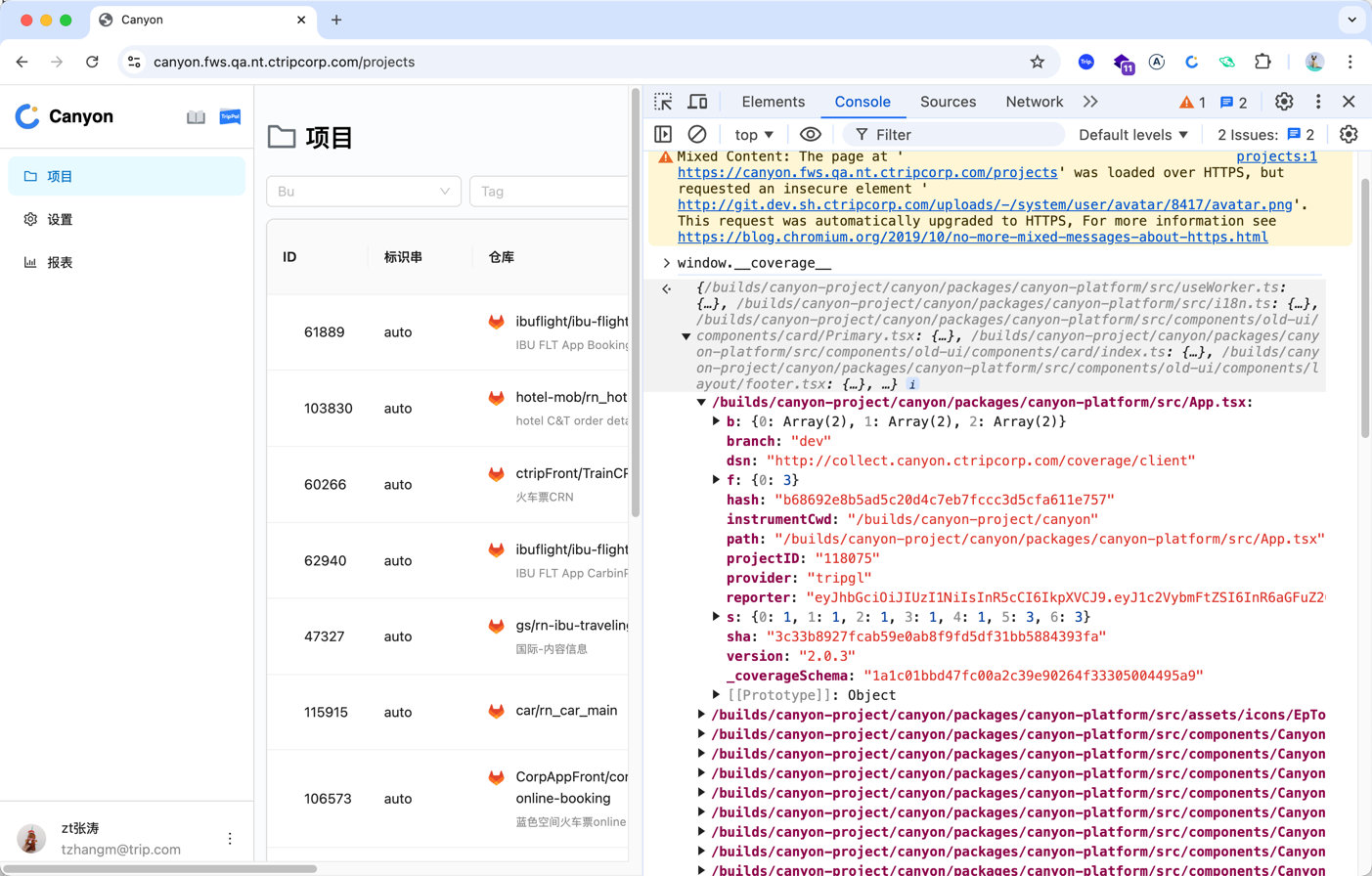
After the configuration is completed, start the project and print window.__coverage__ in the console. If it is the same as the following picture, then the code instrumentation is successful.
CI environment variables
In the CI environment, we need to configure some environment variables for reporting coverage data.
You can also specify them manually. For detailed configurations, please refer tobabel-plugin-canyon。
- DSN and REPORTER
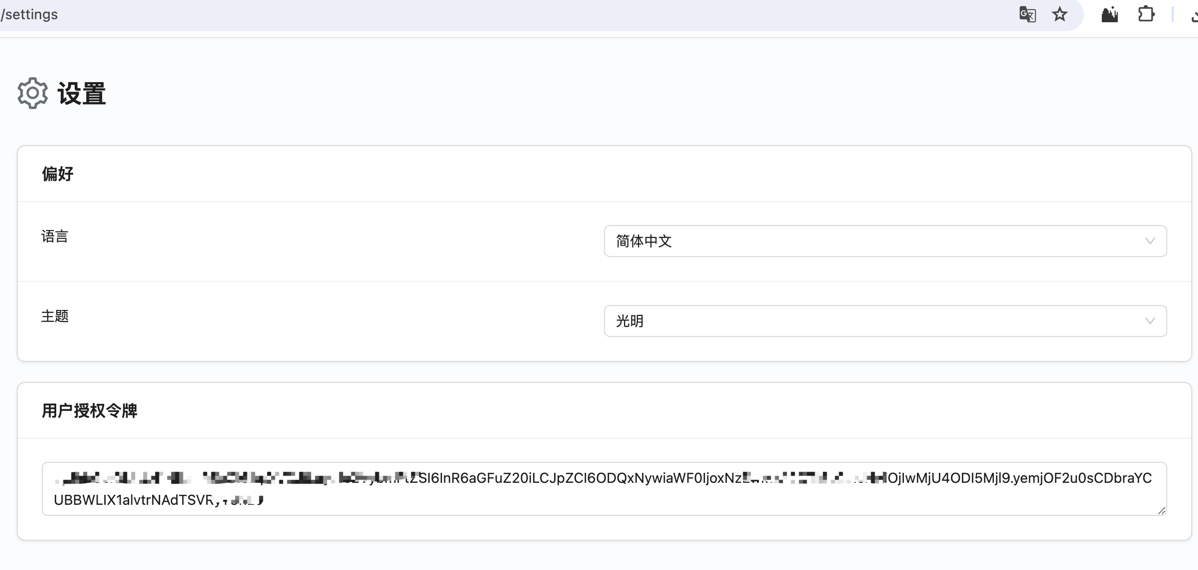
DSN: The reporting interface provided by Canyon, which is {{url} }/coverage/client, where “url” refers to the address of the Canyon backend service.
REPORTER: The user token, used to distinguish different users. You can go to the user settings page to view it.
- Configuration of CI platform variables
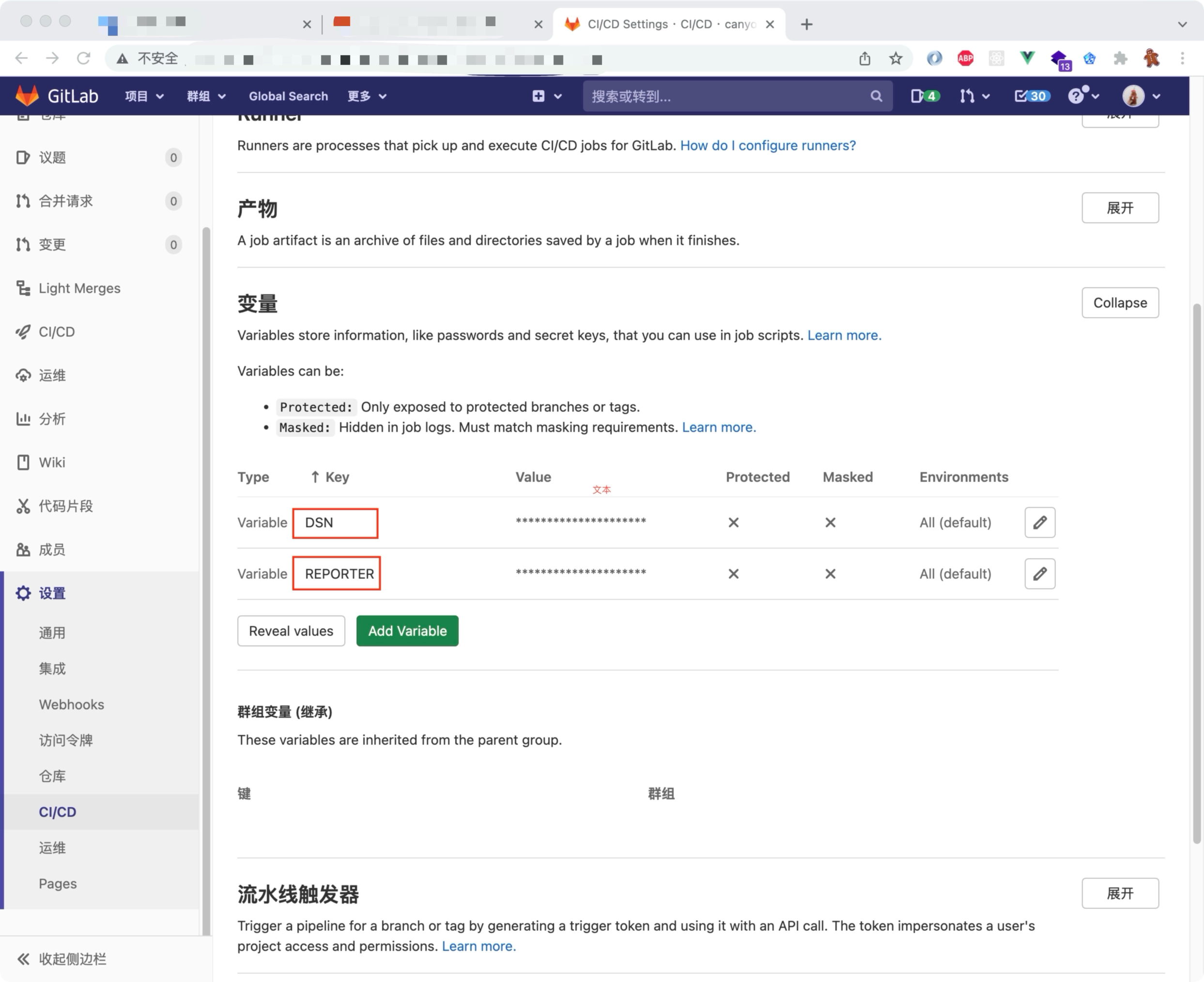
Among them, Project ID, Branch, and SHA don’t need to be configured. The canyon plugin will detect the pipeline environment variables. To view the supported CI platforms,Ck.
Separate the coverage hit and map data (optional)
UI automation will generate a large amount of coverage data. In order to reduce the amount of data transmission, you can choose to separate the hit and map data.hit和map数据分离。
Report the coverage data
At this time, the coverage data is in the browser. As users operate or UI automation cases are executed, the data will keep accumulating. We need to report the data to the Canyon backend service.